Computer Fundamental
Evolution of Computer:- The word “Computer” comes from the word “Compute” which means to calculate. So a computer is normally considered to be calculating device that can perform arithmetic operations at an enormous speed.
Father of Computer:- Charles Babbage was the father of computer. He was a Britain Scientist. He was made computer in 1833.
Full Form of Computer:-
C – Calculate or Common
O – Operate or Operating
M – Memorize or Mechanical
P – Print or Particular
U – Update or User for
T – Tabulate or Technical
E – Edit or Education
R – Response. or Result
Q.1. What is the Computer?
Ans. A computer is an electronic device that manipulates information, or data. It has the ability to store, retrieve, and process data. You may already know that you can use a computer to type documents, send email, play games, and browse the Web.
or
Computer is an electronic machine, which can accept row data and convert into a meaningful information. It has four main characteristics which make it a useful tool. These characteristics are-
1. Speed. 2. Accuracy. 3. Consistency. 4. Storage.
1. Speed:- Computer work is very high speed, that measured by Millie second, Micro second, Pico second and Nano second.
2. Accuracy:– Computer result are very accurate.
3. Consistency: It’s like a human being computer is free from monotony, tiredness lack of concentration etc.
4. Storage:- Computer has capacity store data for long period. Data is raw material of information. Proper calculation of the data is called information.
5. Diligence:- Computer can work for many hours without any break and creating error.
6. Versatility:- We can use computer to perform completely different type of work at the same time.
7. Power of Remembering :- It can remember data for us.
8. No IQ:- Computer does not work without instruction.
9. No Feeling:- Computer does not have emotions, Knowledge, Experience, Feeling.
Q.2. What is the data?
Ans. Computer data is information processed or stored by a computer. This information may be in the form of text documents, images, audio clips, software programs, or other types of data. Computer data may be processed by the computer’s CPU and is stored in files and folders on the computer’s hard disk.
Q.3. How many type of computers?
Ans. The two basic type of computer are the analog and the digital, The analog computers handles or processes information which is of a physical nature.
Example:-Temperature, Pressure etc.
The digital computer processes information which is essentially in a binary or two state format.
Digital computer are – Micro computers, Mini computers, Mainframe computer and Super computer.
- Mini Computer:–
Mini computers have C.P. us with a word lengths of 32 bits. The processing speed 10-30 MIPS (Mega Instruction per second.) RAM capacity in the range 8 to 96 Mega bytes. The hard disk capacity in range 380-3 Giga byte.
- Main frame computers:-
Main frame computers are very powerful large general purpose computers. They are faster and more powerful then mini computers. The word length 60 to 64 bits, RAM capacity 64-256 Mega bytes. Hard disk capacity 1 to 10 Giga bytes and processing speed 30-100 MIPS.
- Micro computers:-
A micro computers is a low cost, small, digital computer. It contains a micro processer units as its C.P.U. a memory unit. The word length of micro computer in the range 8-32 bits. Micro computers are made use of for a wide range of applications.
Example:- General purpose calculation, Industrial control, Instrumentation, appliances commercial equipment control, fuel injection controls of car, office automation etc.
- Personal Computer:–
P.C. is a short form of personal computer. It refers to a small electronic data processing machine meant for an individual user of working, it is becoming very popular in offices schools and business organization.
- Super computers:-
Super computers are faster and more powerful then mainframe computer. Their processing speed in the range 400-10,000 MIPS. The word length 64-96 bits. RAM capacity 1000 Giga byte. They are used for weather fore casting weapons research and development etc.
Q.4. What is the software?
Ans. Software is the set of program that combine a computer hardware to work perform required operation.
Q.5. What is the Hardware?
Ans. Hardware is the turn used to represent all physical components that make a computer system. This includes the computer equipment mechanical and electrical and electronic phase of the system.
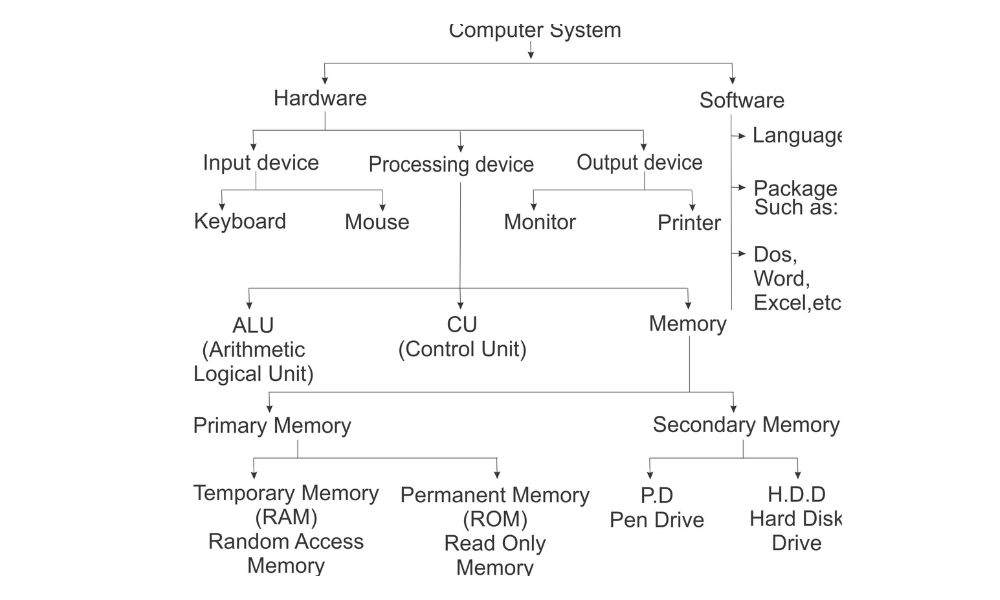
Q.6. What is the computer system?
Ans. A four part system that consists of hardware software data and a user.
Inputting:–
The process of entering data and instructions into the computer system is called inputting.
Outputting:–
The result of processing, such as a printed report sent to the screen or printer or stored on disk as file is called outputting.
Processing:–
Processing is the manipulation of data with in the computer to convert them into useful information. It is the vital step between receiving data (input) and producing results (output).
Keyboard:–
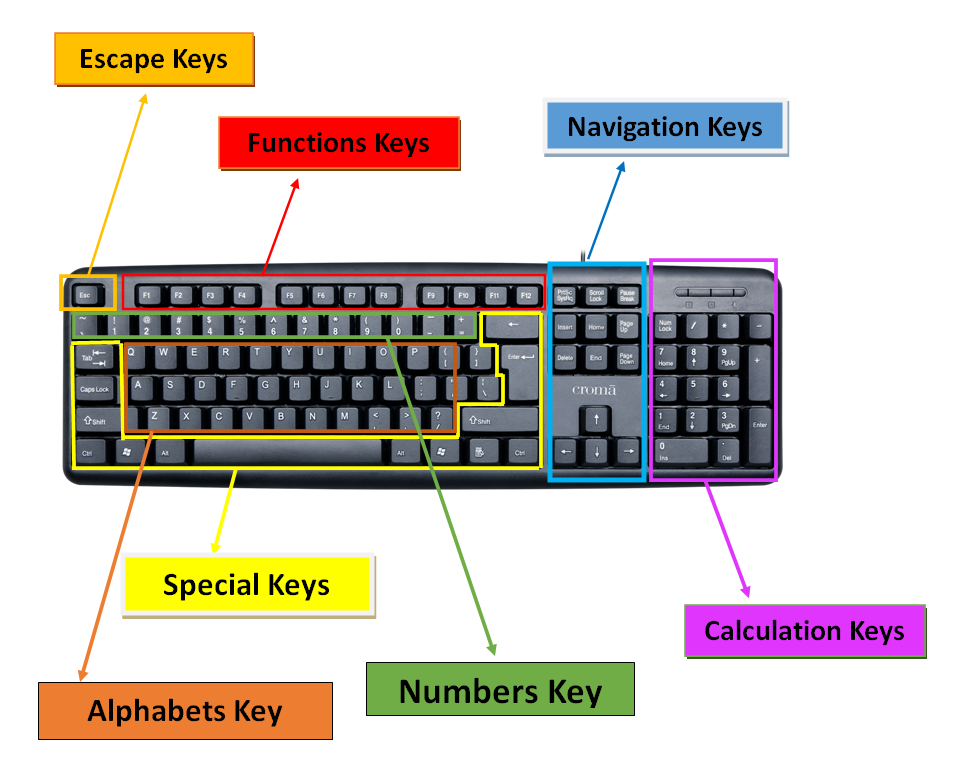
A keyboard is the main input device to give typed instructions to a P.C. It is quite similar to that of a type – writer but also has same additional keys.
Mouse:–
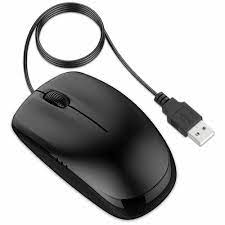
A mouse is a pointing device. It is held in one hand and moved across a flat surface. The mouse pointer that shows the location where the mouse is pointing on the screen. The mouse is used to draw sketches, diagrams etc.
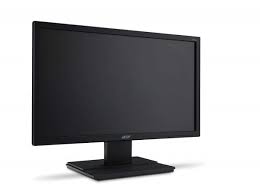
Monitor:–
A P.C. monitor is very similar to a television and its size (as in the case of a T.V.) is measured in diagonal length of the screen, Monitors are available in 9”, 12”, 14”, 15”,17”,19”, and even in 21”, size color Monitors are costlier than black and white monitors. Whatever you type one the keyboard, you can see it on the monitors.
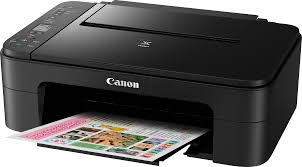
Printer:–
Printer are the most popular output devices. They provide information in a permanent readable from. They produce printed outputs of results, program and data.
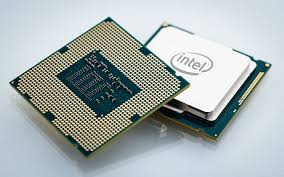
C.P.U.:-
A central processing unit (CPU) is the brain of the P.C. system as it control the flow and processing of data. The speed of the CPU is measured in mega Hertz. (MHZ)
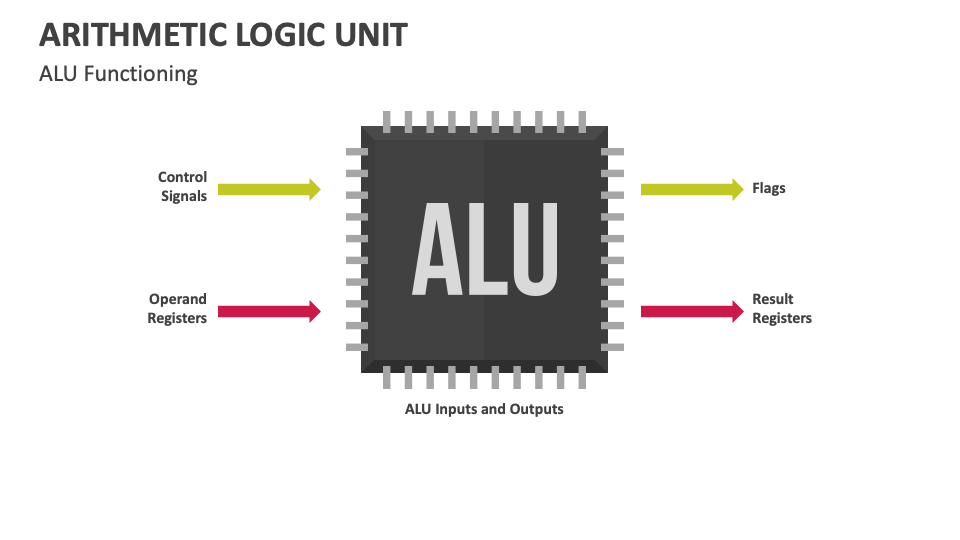
A.L.U.:-
All calculation are performed & all comparisons (decisions) are made in the A.L.U. The data and instructions, store in the primary memory prior to processing, are transferred to the A.L.U where processing takes place.
A.L.U. are designed to perform the four basic arithmetic operation, add, subtract, multiply, Divide and logic operations or comparisons such as less than equal to, or greater than.
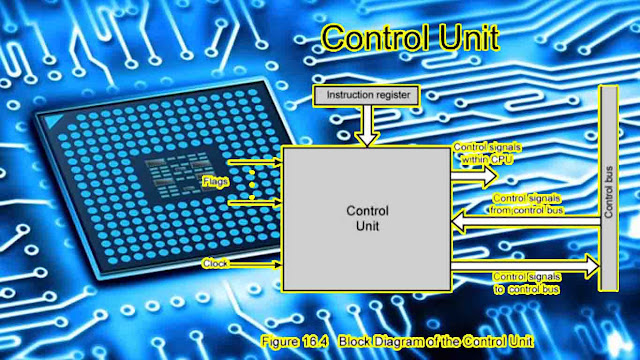
Control Unit:-
The component of CPU that contains the instruction set. Control unit directs flow of data throughout the computer system.
Memory:–
The function of the memory is to store information. It stores programs, data, results or any other kind of information. Two or three levels of memories such as main memory, secondary memory and cache memory are provided in a digital computer.
Primary Memory:–
Primary memory is a fast Random Access Memory (RAM). It stores programs, along with data, which are to be executed, It also stores the necessary programs of system software. Which are required to execute user programs.
Secondary Memory:–
Its stores the operating system, data files, compilers, assemble, application programs etc.
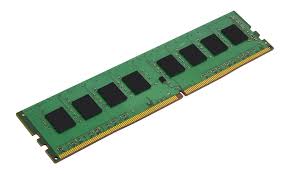
RAM:–
RAM stands for Random Access Memory which is your Pc’s electronic memory. Ram is volatile which means that any data stored in RAM is lost when the computer is switched off. Memory is measured in terms of bytes.
ROM:–
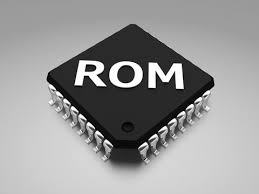
ROM is the short form for Read only memory. ROM chips are special chips which permanently store the basic information that a computer needs to operate. The contents of a ROM are not lost even when power supply fails or is switched off.
Pen Drive:-
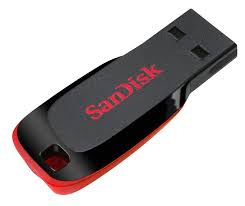
Pen Drive also referred as USB flash drive is a portable device which allows user to transfer data (text, images, videos etc.) to and from computer quickly. User can easily read and write the data on the Pen Drive by plugging it into the USB port on the computer. Pen drives are quite compact and can fit easily into the pocket; they run without battery and draw power from the USB connection itself. Both Floppy disks and CDs are now being gradually replaced by Pen drive as a preferred means of data storage. It’s because latter offers mass data transfer and storage capability and at a much faster rate.
Hard Disk:–
A hard disk is a magnetic disk made of metal and covered with a magnetic recording surface called platter. A hard disk has more capacity and is faster in storing or retrieving data than a Pen Drive . A hard disk can read or write data 10 to 20 times faster than a Pen Drive.
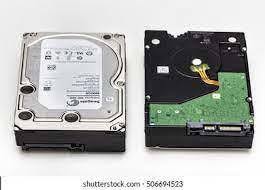
Q.7. What is the difference between Pen Drive and Hard Disk Drive?
Ans. PEN DRIVE HARD DISK DRIVE
| 1- Low capacity 8, 16, 32 G.B. etc. 2- Cheaper 3- Moveable 4- Made by plastic and Metal | High capacity 250, 500, 1 TB etc. Costly Fix in the computer Made by Aluminum Hard Coated. |
MB- Mega bytes
GB- Giga bytes
0,1 character = 1 bit
8 bits = 1 byte
1024 bytes = 1 Kilo byte(KB)
1024 kilo bytes = 1 Mega byte (MB)
1024 Mega bytes = 1 Giga byte (GB)
1024 Giga Bytes = 1 Terra Byte (TB)
1024 Terra Bytes = 1 Peta Byte (PB)
1024 Peta Bytes = 1 Exa Byte (EB)
1024 Exa Bytes = 1 Zetta Byte (ZB)
1024 Zetta Bytes = 1 Yotta Byte (YB)
1024 Yotta Bytes = 1 Bronto Byte (BB)
1024 Bronto Bytes = 1 Geop Byte
Geop Byte is the Highest Memory.
End of Fundamental